Introduction
Most landlords I talk to are not staying on their current software because they love it. They stay because leaving feels dangerous. Years of tenants, leases, deposits, and balances live in there, and the fear is that something falls through the cracks on the way out. If you are working out how to switch property management software without losing data, the good news is that it is a process, not a leap of faith.
I run my own rentals, and I got tired enough of juggling five tools that I built the one I wanted. Here is the order I would follow. This guide applies to any switch, whether you are leaving AppFolio, Buildium, DoorLoop, TenantCloud, or a spreadsheet, and wherever you are going.
Why Switching Feels Riskier Than It Is
Not all of your data carries the same risk.
Properties, units, tenant names, and lease dates are recoverable. If a unit is labeled wrong, you rename it and nobody is hurt. Balances are different. A wrong balance is a mistake your tenant sees, on a statement with your name on it, and that costs you trust you cannot fix with an edit.
So the whole switch runs on one rule: never import a number you cannot reconcile. Everything below follows from it.
How to Switch Property Management Software: Pick the Date and Test One Unit
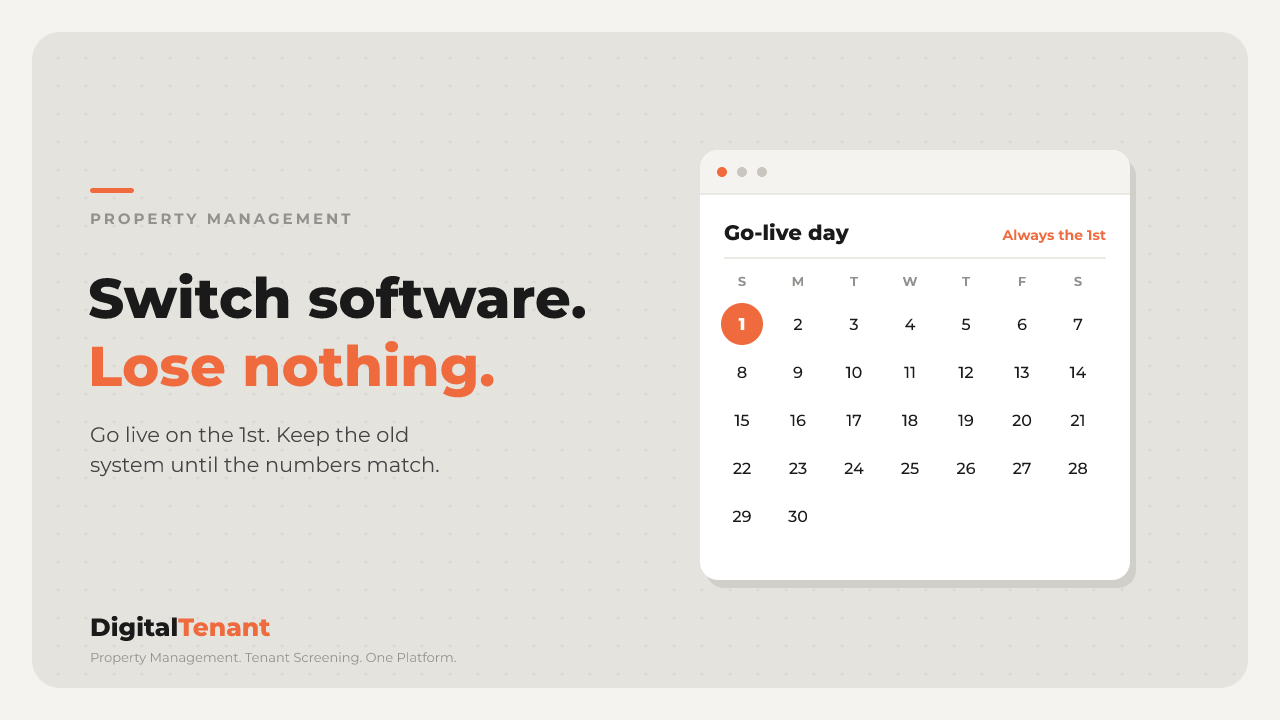
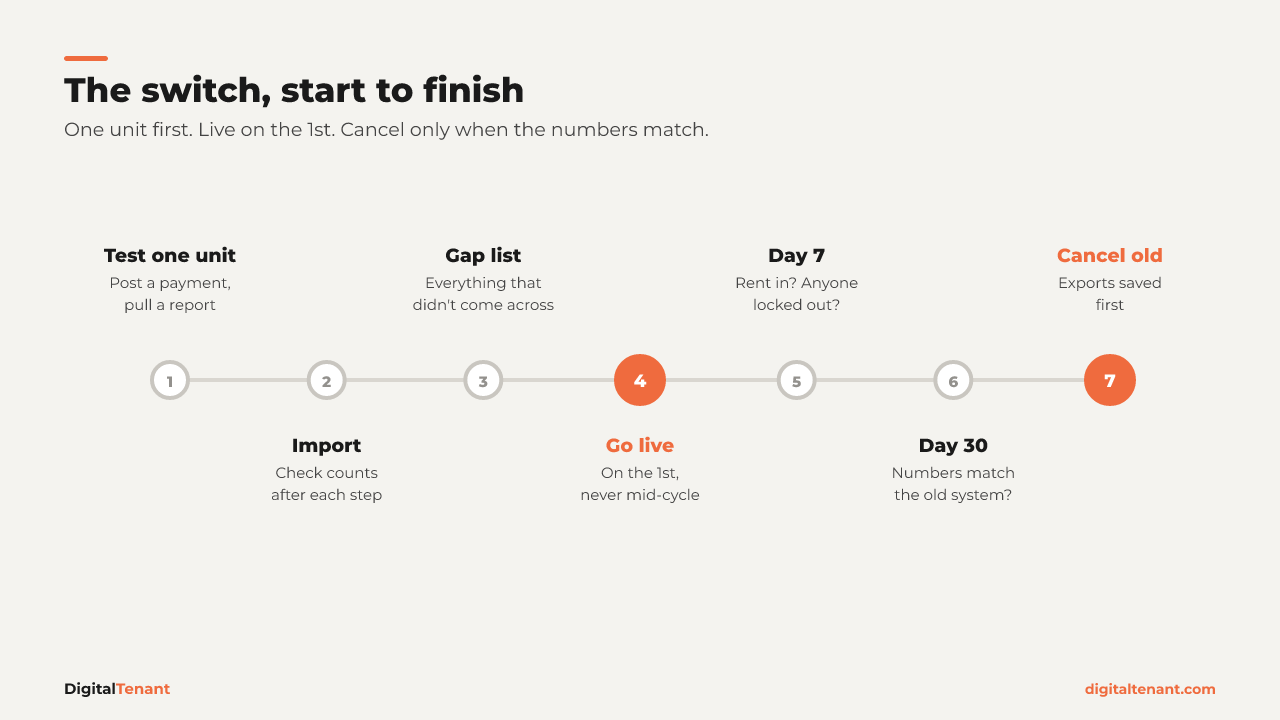
Go live on the 1st
Pick your cutover so the 1st of the month is the first rent collected in the new system. Never split a rent cycle across two systems. If you decide to switch on the 12th, finish that month in the old software and start clean on the 1st. Half a month in each place is how payments get lost, or counted twice.
Test one unit end to end first
Before you import anything in bulk, build one unit by hand. Create the property, add the unit, add the tenant with the lease term, rent, and deposit, post one rent payment, then pull a report on it.
If that report shows the right number, you have proof the setup works before you spend a weekend on it. If it does not, you found the problem while it was one unit instead of forty.
💡 Pro Tip: Pick a boring unit for the test. A long-term tenant with no open balance and no disputes tells you whether the basics work without any other noise.
What to Export When You Switch Property Management Software
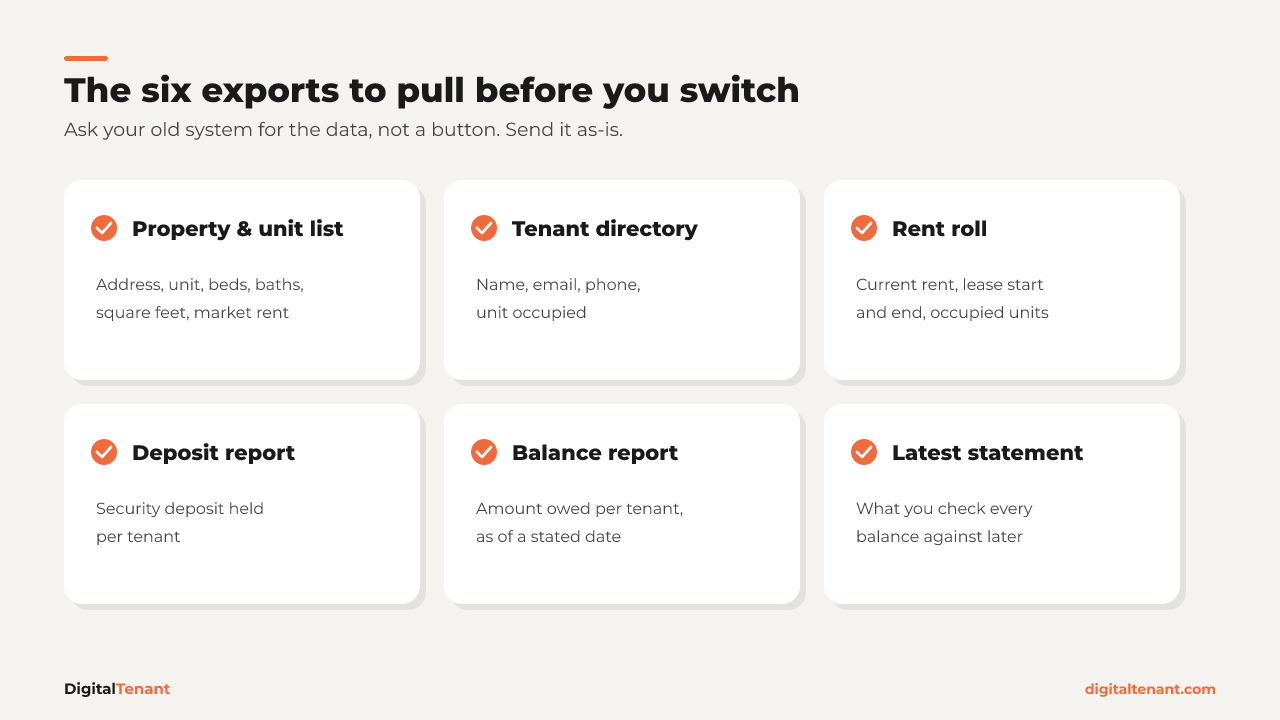
Ask your old system for the data, not for a specific button. Menus change. AppFolio, Buildium, DoorLoop, and TenantCloud all produce these as exportable reports in some form, and a spreadsheet already holds most of it.
- Property and unit list: address, unit identifier, beds, baths, square feet, market rent
- Tenant directory: first name, last name, email, phone, unit occupied
- Rent roll: current rent, lease start, and lease end for every occupied unit
- Deposit report: security deposit held per tenant
- Balance or delinquency report: amount owed per tenant, as of a stated date
- Your most recent tenant statement: this is what you check balances against later, so do not skip it
If you have owner statements, save the latest one for each owner. It is usually the cleanest source for owner contact details.
On a spreadsheet? Export the file exactly as it is. Do not spend a week reformatting before you start.
Before you import anything, clean the file. Two problems cause most bad imports.
Filter out past tenants
Most rent rolls and tenant directories include former residents. Import them and you import ghosts: people attached to units they left years ago. Every occupancy number is wrong from day one. Filter down to current occupants only.
Split combined address and unit fields
A lot of exports put the address and unit in one field, like "123 Main St #4B." Most software wants the property and the unit separately. If you do not split them, each unit can land as its own property, and your owner reporting is wrong before you collect a dollar. Split them in the spreadsheet with a formula instead of retyping, so the spelling stays identical everywhere it appears.
After each import step, compare the count of properties, units, and tenants in the new system against your file. Three small checks beat one big reconciliation at the end.
Balances, Payment History, and the Gap List
Only import balances you can reconcile
Take each tenant's balance from the delinquency report and compare it to that most recent statement. If they agree, enter it. If they do not, do not guess and do not average. It goes on a list.
If you have balances you honestly cannot stand behind, start those tenants at zero from cutover and settle the old amount separately. A clean start beats a wrong history.
Payment history stays behind
Most switches do not carry payment history over, and that includes a move to DigitalTenant. Your old system stays the record for everything before cutover. The new one is the record from cutover forward.
That is fine if you plan for it. Export your rent roll, ledgers, and payment history before you cancel anything, and keep read-only access to the old system for at least one full tax year. Your accountant will ask.
Write the gap list
Before go-live, write down everything that did not come across cleanly. A simple one looks like this:
- Balance did not reconcile: Unit 4B, Jordan Avery. Statement shows $1,575, delinquency report shows $1,500. Which is right?
- Missing lease end dates: Units 7 and 12
- Missing owner contact: Sample Property LLC
- Documents to upload: signed leases, addenda, and move-in inspections, unit by unit
- Not migrated: payment history before the go-live date
This is the most useful document in the whole switch. You will find these gaps eventually either way. Better to find them on purpose, before a tenant does.
Go Live, Then Check on Day 7 and Day 30
Tell your tenants at least 10 days before the 1st. Keep it short: where they pay is changing, and the rent amount and due date are not. Before the 1st, spot-check rent amounts on a few random units, confirm your bank account is connected and verified, and set late fees to match your leases.
Then set the old system to read-only. Do not cancel it yet. A month of overlap is cheap insurance.
Day 7. Did rent come in? Can every tenant pay? Is anyone disputing a balance? A bad migration shows itself here, while it is still cheap to fix.
Day 30. Pull a report from the new system and compare it to what the old system would have shown for the same month. When the numbers agree, the switch is done. Save your exports, then cancel.
If you are moving to DigitalTenant, the built-in reports, like the rent roll and unpaid rent, are where you run that Day 30 comparison.
⚠️ Common Mistake: Cancelling the old subscription the day you go live. If a number looks off in week two, you have nothing to check it against.
Red flags: when to slow down
- "Just import everything, I'll fix it later." You won't. You will find it at tax time.
- Balances nobody can explain. Start at zero from cutover rather than importing numbers you cannot defend.
- A cutover on the 25th. Wait for the 1st.
- A unit mid-eviction or in an active dispute. Leave it on the old system until it resolves. Do not move contested records.
- No way to export, and a lot of units. Treat it as a project with a timeline, not an afternoon job.
Key Takeaways
- How to switch property management software without losing data: never import a number you cannot reconcile.
- Go live on the 1st and never split a rent cycle across two systems.
- Test one unit end to end before any bulk import.
- Filter out past tenants, split combined address and unit fields, and check counts after every step.
- Payment history stays in the old system. Export it and keep read-only access for at least one full tax year.
Conclusion
Switching software is not risky because of the software. It is risky when you rush it, import numbers nobody checked, and cancel the old system before the new one has proven itself.
Do it in order and it gets boring, which is exactly what you want. One test unit, the right exports, clean data, a gap list, a go-live on the 1st, and a month of overlap. When your Day 30 numbers match, you are done, and you have not lost a thing.
Next Steps
- Pick your go-live date: the next 1st of the month that leaves you at least two weeks to prepare.
- Pull the six exports above and save copies outside your old system.
- Build one unit end to end in the new system and check the report before importing anything else.
- Write your gap list and keep the old system read-only for a month.
- Try DigitalTenant Free and set up your test unit. Plans and tiers are on the pricing guide.
About the Author
Pierre Elize, Founder of DigitalTenant. Property Management. Tenant Screening. One Platform.
Free calculators for cash flow, vacancy cost, rent increases and more. No sign-up needed.
Guides for landlords on screening, leases, rent and maintenance.