Introduction
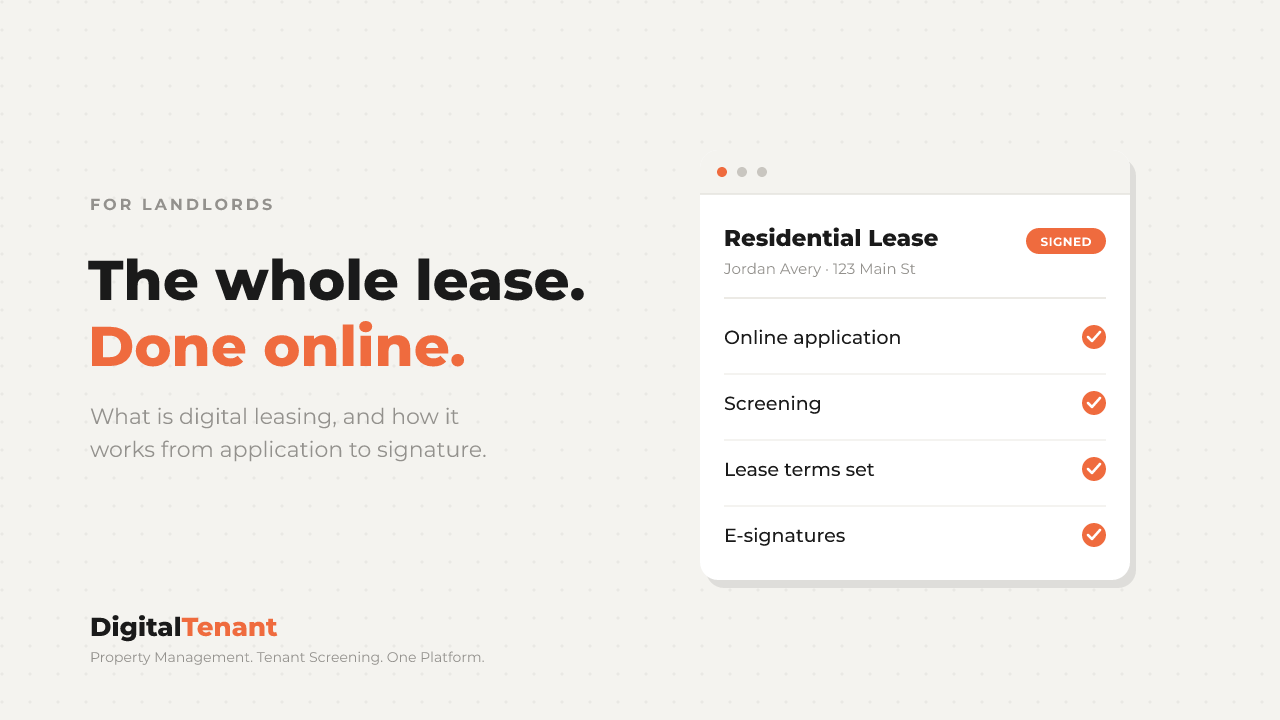
Digital leasing is the whole lease process done online. The renter applies online, you screen them, you build the lease from your terms, both sides sign electronically, and the signed copy is saved with the unit. No printing, no scanning, no meeting at a coffee shop to get initials on page six. If you have been asking what is digital leasing and whether it is worth switching, this walks through each step, what it costs, and the legal basics. I run my own rentals, and I would not go back to paper.
What Is Digital Leasing, Exactly?
Digital leasing means every step of getting a tenant into a unit happens in one online flow instead of on paper and email. That covers five things:
- The application. The renter fills it out online.
- Screening. Credit, background, and eviction checks run on the applicant.
- The lease. You set the terms once and the lease is built from them.
- Signatures. You and the tenant sign electronically, from any device.
- Storage. The signed lease lives with the unit, where you can find it at renewal or move-out.
The paper version of this works. It is just slow, and it leaks. A missing initial, a lost addendum, a lease that lives in one person's inbox. Digital leasing fixes the leaks more than it saves the time, though it does both.
Is a Digitally Signed Lease Legally Binding?
Yes, in general. The federal E-SIGN Act (15 U.S.C. 7001), passed in 2000, says a contract cannot be denied legal effect just because it was signed electronically. On top of that, 49 states, Washington DC, Puerto Rico and the US Virgin Islands have adopted the Uniform Electronic Transactions Act (UETA). New York uses its own Electronic Signatures and Records Act, which works the same way.
There is one carve-out landlords should know. E-SIGN does not cover notices of default, eviction, or the right to cure under a rental agreement for someone's primary residence (15 U.S.C. 7003). So the lease can be signed electronically, but serve those notices the way your state requires.
This is general information, not legal advice. If a lease term is unusual, have a local attorney look at your template once.
How Digital Leasing Works, Step by Step
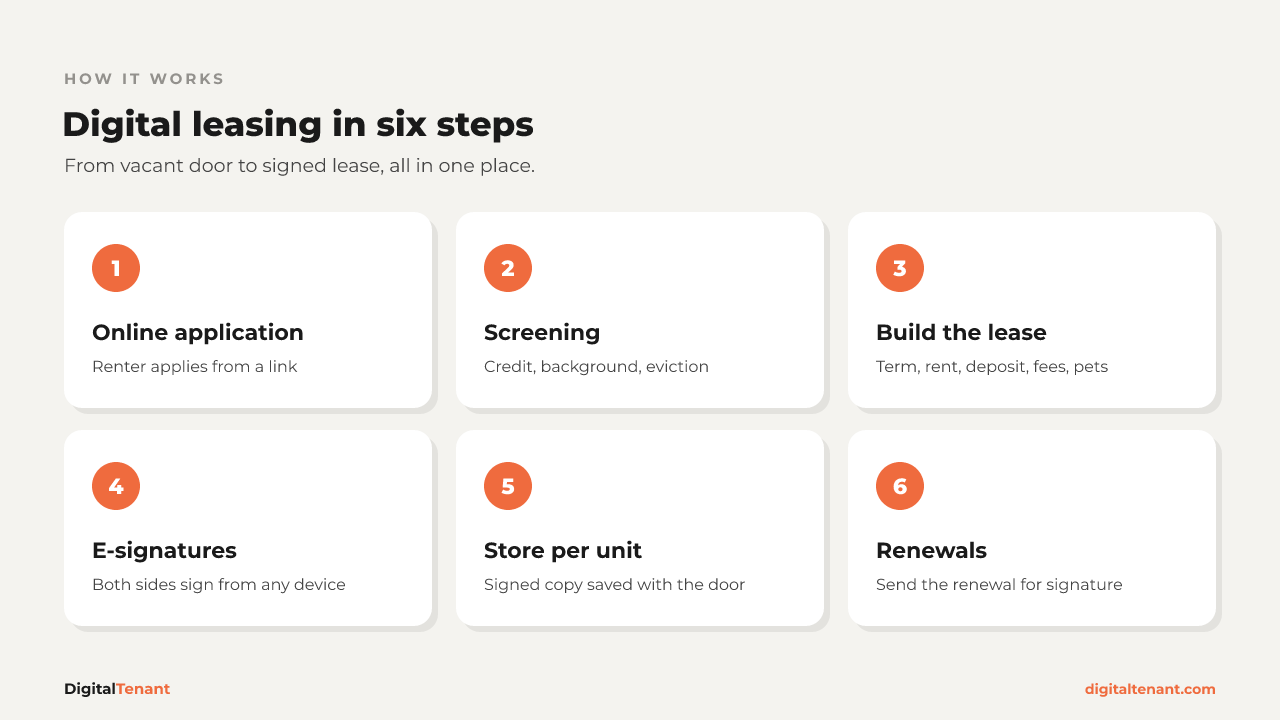
Here is the flow from a vacant unit to a signed lease, and what happens at each step.
Step 1: Online Application
You send the applicant a link. They fill in their details, income, and rental history on their phone. You are not retyping anything from a paper form, and every applicant answers the same questions, which keeps you consistent.
Step 2: Screening
Screening runs off the application. In DigitalTenant that means TransUnion credit, background, and eviction reports. If the applicant already has a Tenant Passport, you can receive and view it at no cost. Apply the same screening criteria to every applicant.
Step 3: Build the Lease
This is where you set the terms that matter. Fill them in once and the lease carries them through:
- Lease term. Start date, end date, or month to month.
- Rent. Amount, due date, and how it gets paid.
- Security deposit. Amount and terms, within your state's limits.
- Late fees. Grace period and fee, where your state allows them.
- Pets. Allowed or not, pet deposits or pet rent, and any limits.
- Vehicles. How many, where they park, and any rules.
💡 Pro Tip: Keep one lease document of your own per property type and reuse it. DigitalTenant doesn't include lease templates, so that document is yours to maintain. The fewer leases you write from scratch, the fewer mistakes slip in.
Step 4: E-Signatures
The lease goes out for signature. The tenant signs from their phone or laptop, you countersign, and everyone gets a copy. No scanning, no "can you resend page four."
Step 5: Store the Signed Copy With the Unit
The signed lease is saved to the unit it belongs to, next to the other documents for that door. When a question comes up about the pet clause in month nine, you find it in seconds instead of digging through email.
Step 6: Renewals
When the term is ending, a renewal is just another lease to send for signature. Update the rent and dates, send it out, and file the signed renewal with the unit. Start this 60 to 90 days out so you are not scrambling, and check your state's notice rules for rent increases.
How Much Does Digital Leasing Cost?
It depends on the software. With DigitalTenant, digital signatures are included on every plan, with a small fee per signed lease that drops as you move up:
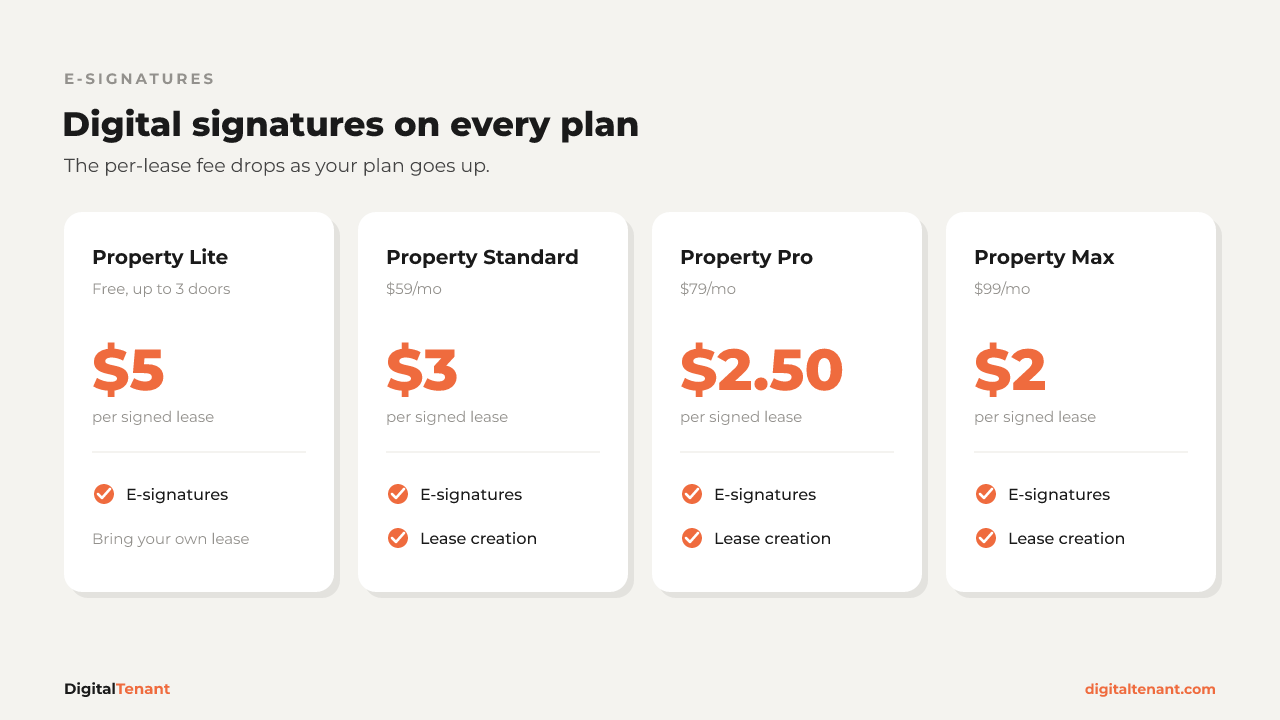
- Property Lite (free, up to 3 doors): $5 per lease
- Property Standard ($59/mo): $3 per lease
- Property Pro ($79/mo): $2.50 per lease
- Property Max ($99/mo): $2 per lease
Lease creation tools, where you build the lease from your terms, are on Property Standard and up. On Lite you can still collect signatures on a lease you bring yourself. The full breakdown is on our pricing guide.
⚠️ Common Mistake: Comparing tools on monthly price alone. Count how many leases and renewals you sign in a year, then compare the total.
How Digital Leasing Works in DigitalTenant
Everything above lives in one place. The application, the screening, the lease you build, the signatures, and the signed copy all sit with the unit. Late fee management is on Property Standard and up, so the late fee terms you write into the lease match how you manage them.
Your tenants get a tenant portal too. Tenant accounts are free, and when a tenant pays rent online, the processing fee is paid by the tenant, not you. If an applicant shows up with a Tenant Passport, you can see how that works on our landlord screening page.
See the whole flow on our digital leasing page.
Digital Leasing FAQ
Do tenants need special software to sign?
No. They sign from a link on their phone or computer. A tenant account on DigitalTenant is free.
Can I use my own lease template?
Yes. You can send your own lease for e-signature on any plan. Building the lease from your terms inside the software is on Property Standard and up.
Is a lease signed online as valid as a paper lease?
In general, yes, under the federal E-SIGN Act and your state's version of UETA. Some notices, like eviction notices for a primary residence, are excluded and should be served the way your state requires.
What happens to the signed lease?
It is saved to the unit, so you and your team can pull it up at renewal, at move-out, or when a question comes up.
Key Takeaways
- What is digital leasing: the full lease process online, from application and screening to building the lease, e-signatures, and storing the signed copy with the unit.
- E-signed leases are generally valid under the federal E-SIGN Act and state UETA laws, but eviction and default notices are excluded.
- Set your terms once: lease term, rent, deposit, late fees, pets, and vehicles.
- With DigitalTenant, signatures are on every plan: $5 per lease on Lite, $3 on Standard, $2.50 on Pro, $2 on Max. Lease creation is on Standard and up.
- Renewals are just another lease to send. Start 60 to 90 days out.
Conclusion
Digital leasing is the same lease you already sign, minus the printing, the chasing, and the lost pages. Set your terms once, let the tenant sign from their phone, and keep every signed copy with the door it belongs to.
Next Steps
- Pull your current lease and list the terms you set every time: term, rent, deposit, late fees, pets, vehicles.
- Count how many leases and renewals you sign a year to compare costs.
- Check the per-lease signature fee for your plan on the pricing guide.
- See the full flow on our digital leasing page.
- Try DigitalTenant Free and send your next lease for e-signature.
About the Author
Pierre Elize, Founder of DigitalTenant. Property Management. Tenant Screening. One Platform.
Your state's official lease rules and our free lease template, sent to your inbox.
Guides for landlords on screening, leases, rent and maintenance.