Introduction
One rental is easy to run by hand. A spreadsheet, a payment app, a folder of leases, and your phone. It works, so you keep doing it. Then you buy a second place, then a third, and the method that felt free starts costing you in ways that never show up on a bill. So when do you need property management software? My answer: once you pass 3 units, and before you buy the next one. Not after.
I run my own rentals, and I built the tool I wanted because the by-hand version kept breaking at the worst possible time. Here is where the hidden cost hides, and why the timing matters more than the tool.
What Running Rentals by Hand Actually Looks Like
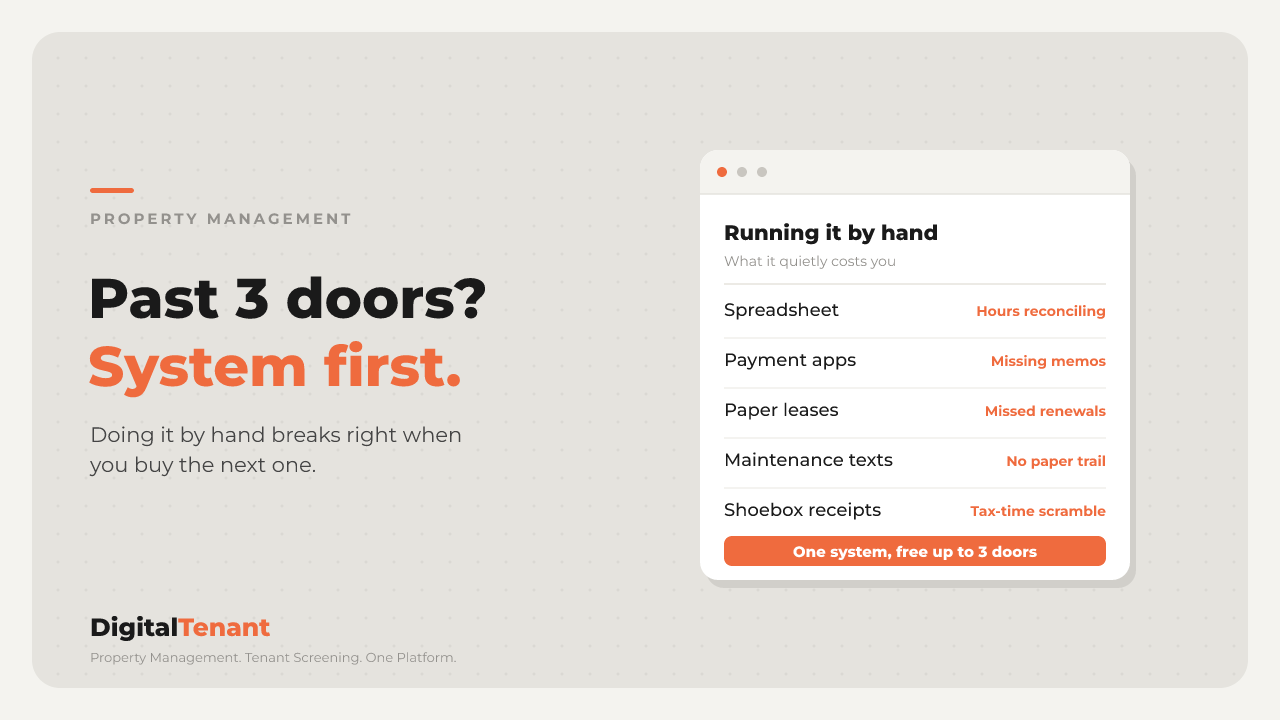
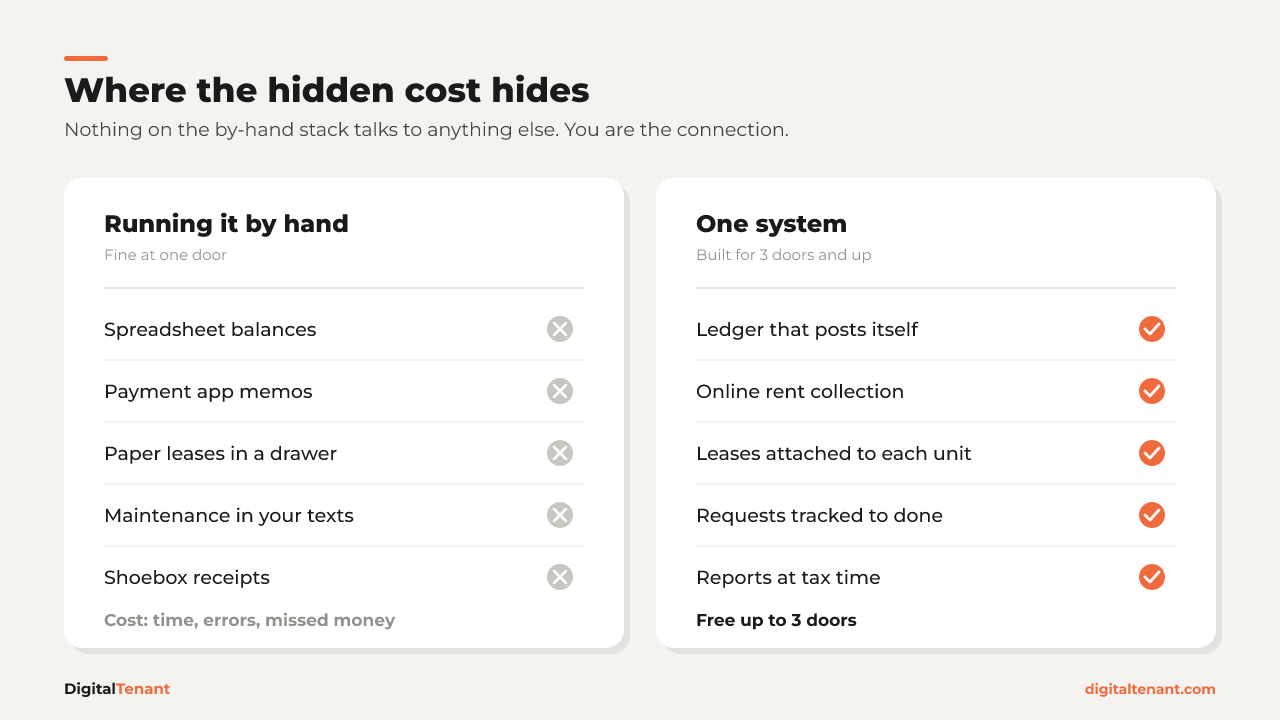
Most self-managing landlords run some version of the same stack:
- A spreadsheet for rent, balances, and lease dates
- Venmo or Zelle for rent, with a memo line you hope the tenant filled in
- Paper or PDF leases in a drawer, an email thread, or a desktop folder
- Texts for maintenance requests, mixed in with everything else on your phone
- A shoebox of receipts (or a camera roll) for repairs and supplies
None of these is a bad tool on its own. The problem is that nothing talks to anything else. You are the connection between them. Every payment, every repair, every lease date has to pass through your head and your hands before it lands anywhere useful.
With one unit, that is fine. You remember everything. With three, you start to not remember everything, and you do not find out which things until later.
The Hidden Cost of Self-Managing Rentals by Hand
The cost is real, it just does not come as an invoice. It comes as time, errors, and money you never collected.
Time
Take an illustrative example. Say you spend 20 minutes a month per unit matching payment app deposits to your spreadsheet, chasing a missing memo, and updating balances. At one unit that is nothing. At 3 units it is an hour a month. At eight units it is close to three hours, every month, doing work that produces nothing new.
Your real number might be higher or lower. The point is that it grows with every unit you add, and it never gets faster.
Errors
By-hand systems fail quietly. A payment gets logged to the wrong unit. A partial payment gets marked as paid in full. A lease end date lives on paper, so the renewal conversation starts two weeks late instead of two months early.
None of these feels like a disaster the day it happens. They show up later, at tax time or in a tenant dispute, when you are trying to prove what happened from a spreadsheet you edited by hand.
Missed money
This is the one that stings. Say your lease has a late fee (use your own lease terms, this is just an example). If nobody is watching the calendar, a late payment on the 3rd does not get noticed until the 9th, and by then charging the fee feels awkward, so you let it go. Same with a small repair you paid for out of pocket and never billed back, or a receipt that never made it into the shoebox. Each one is small. Across a year and a few units, they add up.
 When Do You Need Property Management Software? Around 3 Units
Three is not a magic number. It is roughly the point where the by-hand stack stops fitting in your head.
At one or two units, you can hold every tenant, every due date, and every open repair in memory. Once you pass 3 units, you are juggling multiple leases on different cycles, multiple tenants paying different ways, and maintenance requests that overlap. That is when the spreadsheet stops being a record and starts being a to-do list you are always behind on.
A note on counting: think in units, not buildings. A duplex is two units. A single-family home plus a duplex is already 3 units to track.
💡 Pro Tip: If you are not sure where you stand, open your texts and count the maintenance requests from the last 90 days that you had to scroll back to find. If the answer is more than one, the system is already leaking.
Put the System in Place Before You Buy the Next Property
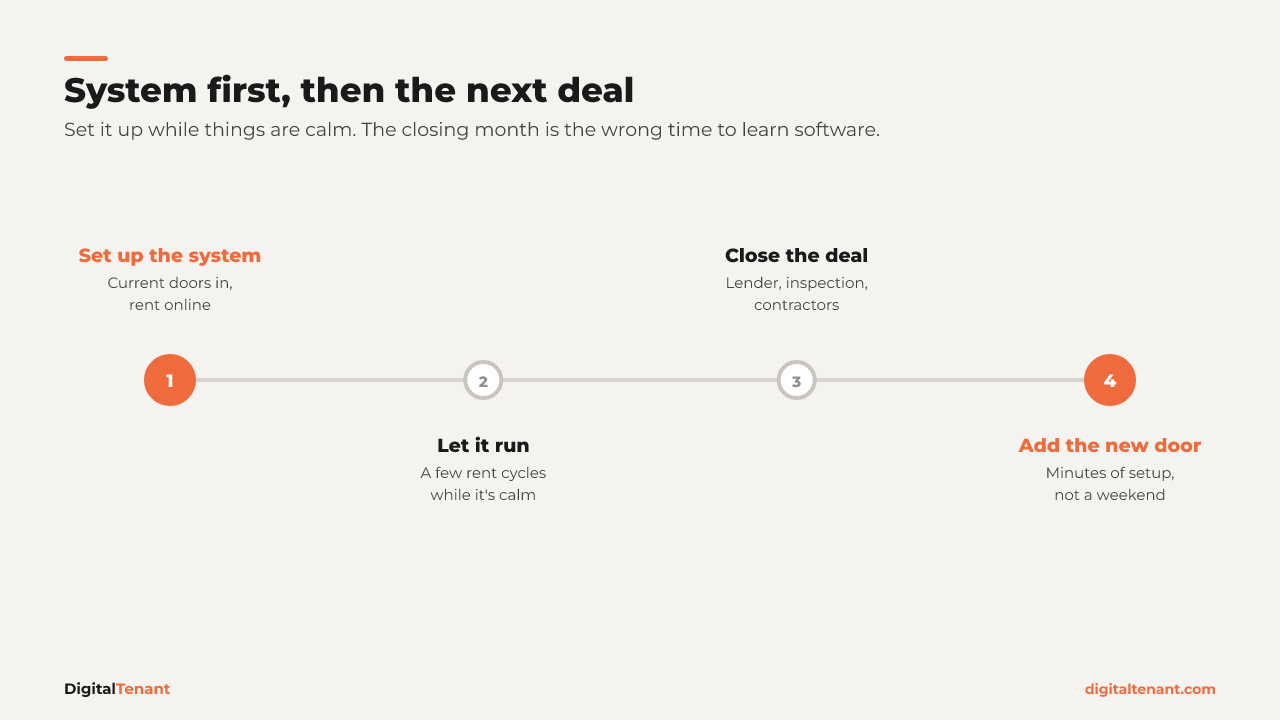
This is the part most investors get backwards, and it is the core of the whole idea. Software is not something you add once things get busy. It has to be in place before they do.
Think about when things get busy. It is the month you are closing on the next property. You are on the phone with the lender, chasing the inspection, lining up contractors, and reviewing a pile of closing documents. That is exactly the month a tenant at 123 Main St pays half their rent through a payment app with no memo, a water heater goes out at another unit, and a lease comes up for renewal.
The manual method breaks exactly when you have the least attention to give it. And trying to set up new software in that same month means you are learning a system, importing data, and onboarding tenants while you are already stretched.
So if you are an investor planning to grow, flip the order:
- Get your current units into one system while things are calm.
- Move rent collection online so every payment shows up against its invoice.
- Get leases and documents attached to each unit.
- Then go buy the next one.
When the new property closes, adding it is a few minutes of setup, not a weekend of catching up.
⚠️ Common Mistake: Waiting until you "have more units" to set up software. By then you have more data to move, more tenants to onboard, and less time to do it.
 What the System Needs to Cover
Whatever software you pick, it should replace every piece of the by-hand stack, not just one of them. Here is the checklist, and how DigitalTenant handles each piece.
- Rent collection you can see. Tenants pay online and every payment shows up against its invoice. No matching deposits to rows. In DigitalTenant, rent processing fees pass to the tenant, not to you.
- Invoices and reports. Paid and unpaid invoices for each tenant, plus 20 built-in reports you can hand to your accountant instead of rebuilding the year from a spreadsheet.
- Leases and documents per unit. Every lease, addendum, and inspection attached to the unit it belongs to, with digital signatures available on every plan (a small per-lease fee that varies by plan).
- Maintenance tracking. Requests tracked from submission to resolution, instead of buried in your texts.
On cost: Property Lite is free up to 3 units, so you can set up your current rentals before you buy anything else. Once you pass 3 units, the paid plans are listed on the pricing guide. Check there for current pricing, because that page is always the source of truth.
Key Takeaways
- When do you need property management software? Once you pass 3 units, and before you buy the next property, not after.
- The hidden cost of running rentals by hand shows up as time, errors, and missed money, not as a bill.
- The manual method breaks when you are busiest, which for investors is usually the month you close on the next deal.
- Count units, not buildings. A duplex is two units.
- The right system replaces the whole stack: rent, invoices, leases, and maintenance in one place.
Conclusion
Running rentals by hand is not a mistake. It is how almost everyone starts. The mistake is keeping that setup past the point where it fits in your head, and then trying to fix it in the middle of your busiest month.
If you are at 3 units and thinking about a fourth, this is the calm window. Set the system up now, let it run for a few cycles, and when the next closing hits, your existing rentals keep running without you babysitting them.
Next Steps
- Count your units, not your buildings, and write down where rent, leases, and repair requests live today.
- Pick one calm month (not a closing month) to move everything into one system.
- Move rent collection online first, so every payment is recorded from day one.
- Attach leases and documents to each unit, and route maintenance requests through the system instead of your texts.
- Try DigitalTenant Free and set up your first 3 units at no cost. Plans for larger portfolios are on the pricing guide.
About the Author
Pierre Elize, Founder of DigitalTenant. Property Management. Tenant Screening. One Platform.
Free calculators for cash flow, vacancy cost, rent increases and more. No sign-up needed.
Guides for landlords on screening, leases, rent and maintenance.